

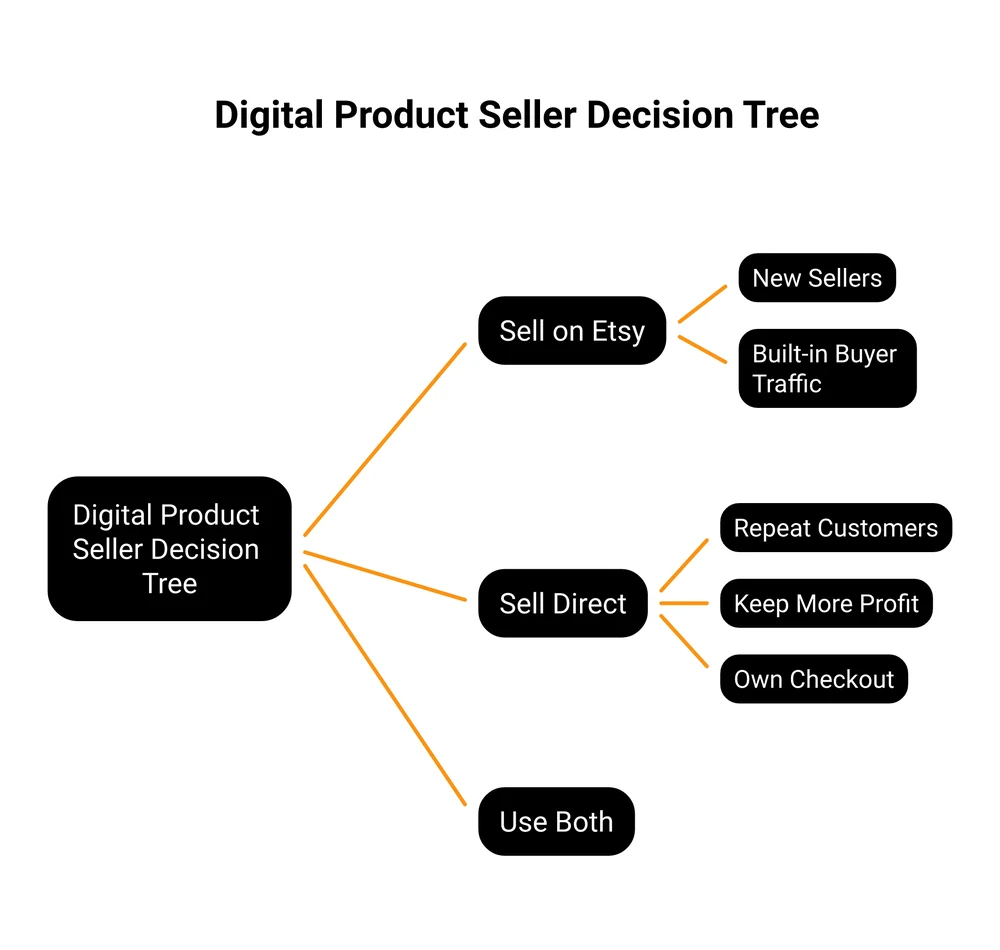
Etsy is a marketplace where you sell digital products like printables, templates, and art as instant downloads. You pay a $0.20 listing fee, a 6.5% transaction fee, and payment processing on each sale. It fits sellers who want built-in buyer traffic. Selling direct through Gumroad, Payhip, or CartMango keeps more of each sale and lets you own the customer.
Etsy for digital products looks like the perfect side income. List a printable once, let Etsy’s shoppers find it, collect sales while you sleep. That is the pitch, and it is half true.
The other half is the part most guides skip, because most of those guides are run by companies that make money when you open an Etsy shop. Etsy takes a real cut of every sale, and the cut lands hardest on the cheap items digital sellers usually list. You also do not get to keep your buyers, which starts to matter more than the fees once you have a few products people love.
This guide covers how selling digital products on Etsy really works, what you keep after fees at different prices, which products sell, and the point where selling direct makes more sense.
Key Takeaways
- Etsy is a storefront you rent. Its 86.5 million shoppers can find your listings, but Etsy keeps the buyer relationship, and you cannot email them later.
- Fees hit cheap items hardest. On a $3 download Etsy keeps about 24%, on a $100 sale under 10%, because the fixed fees never shrink.
- Most digital sellers earn slowly. One real 14-month sales log totaled $3,349, an average of $239 a month, nowhere near the $10k-a-month screenshots.
- The simple products win. Printables, planners, Canva and Notion templates, and digital art move the most volume.
- Selling direct keeps more. Your own checkout takes no marketplace cut and lets you email buyers again, but you have to bring the traffic yourself.
What Etsy for Digital Products Really Means
A digital product on Etsy is a file a buyer downloads instead of a package they wait for in the mail. No printing, no shipping, no stock to run out of. You upload the file once and Etsy delivers it automatically after each sale.
There are 2 ways to sell them:
- Instant downloads. The buyer pays and gets the file straight away. This is most digital products: printables, planners, templates, art prints, ebooks.
- Made-to-order digital. The buyer pays, then you personalize the file by hand and send it. Think custom wedding invitations or a name added to a print. More work per sale, higher price.
The appeal is obvious. You make the file one time and sell the same file over and over, with zero extra cost per sale. If you want to find what is quietly leaking your profit before you scale up, the free 5-day Online Selling Mistakes Challenge walks through the top 5 mistakes solo sellers make.
What actually counts as a digital product covers a wide range. Printable wall art, budget and cleaning printables, digital planners for tablets, Canva and Notion templates, Google Docs resumes, SVG cut files for Cricut machines, clipart, fonts, spreadsheets, trackers, and ebooks all qualify. If it can be delivered as a file, Etsy allows it. (For the full picture of what digital products are, that guide breaks down every category.)
Why Sellers Pick Etsy to Sell Digital Products
The single biggest reason is traffic you do not have to earn. Etsy reported about 86.5 million active buyers at the end of 2025. Those people are already on the site, already in a buying mood, already typing “budget planner” or “wedding template” into the search bar. A brand new shop can make its first sale the same week it opens, with no ads and no audience.
The other reasons stack up fast:
- No inventory or shipping. The file is the product. Nothing to store, pack, or lose in the mail.
- Low startup cost. A listing costs $0.20. You can open a shop and list your first product for under a dollar.
- It runs while you do other things. Delivery is automatic, so a sale at 3am needs nothing from you.
Here is the honest version of the income, though. The screenshots showing $10,000 months are the loud exception, not the rule.
One seller posted a full 14-month sales log on Reddit: month 1 brought in $0, month 14 hit $623, and the whole run totaled $3,349, an average of $239 a month. They ended with 34 products, and just 5 of them drove about 70% of the revenue. Their lesson, learned around month 6, was to research what people search for before designing anything.
That is a realistic first year. Slow, then a curve upward once you learn what sells. Treat Etsy as a cheap way to test what people actually buy before you bet big on a product.
What Etsy Really Costs on a Digital Sale
This is the section the print-on-demand blogs gloss over. Etsy charges the same fees on a digital file as it does on a physical mug. Here they are, straight from Etsy’s fee page (US seller):
- Listing fee: $0.20 per listing. The listing lasts 4 months or until it sells, then you pay another $0.20 to renew it.
- Transaction fee: 6.5% of the total order.
- Payment processing: 3% plus $0.25 per order in the US. This varies by country.
- Offsite Ads fee: 15% on any sale that comes through an ad Etsy runs for you off the site. It drops to 12% once your shop passes $10,000 in a year, and it is mandatory at that point.
- Set-up fee: a one-time fee to open your shop, charged when you create it. The amount varies by country.
The headline “6.5%” sounds small. The real number is bigger, and it depends entirely on your price. The fixed fees ($0.20 plus $0.25) do not shrink when your product is cheap, so they eat a much larger slice of a $3 sale than a $50 one.
| Sale price | Etsy fees | You keep | Etsy’s cut |
|---|---|---|---|
| $3 | $0.74 | $2.26 | 24.5% |
| $5 | $0.93 | $4.07 | 18.5% |
| $10 | $1.40 | $8.60 | 14.0% |
| $20 | $2.35 | $17.65 | 11.7% |
| $100 | $9.95 | $90.05 | 9.9% |
So how much does Etsy take from a $100 sale? About $9.95, just under 10%. But most digital products do not sell for $100. They sell for $3 to $10, the exact range where Etsy keeps 14% to 25% of your money.
Then there is the Offsite Ads trap. If a sale comes through one of Etsy’s ads, add 15% on top. A $5 printable that came through an offsite ad loses about $1.68 in total fees, a 33% cut. Once your shop crosses $10,000 a year, you cannot turn those ads off.
This does not make Etsy a rip-off. The fees are the price of the built-in traffic. It does mean you should price with the cut in mind, because it grows fast on cheap items. Read how to price digital products before you set a single number.
Here is what those fees look like on a real listing, plus how I use AI to pull what buyers actually complain about out of the reviews:
The Best Digital Products to Sell on Etsy
Not every digital product sells the same. The winners tend to be simple, useful, and quick for a buyer to understand at a glance. These are the categories that consistently move, with rough price ranges and how crowded each one tends to be:
| Product type | What it is | Make it with | Typical price | Competition |
|---|---|---|---|---|
| Printables & planners | Budget sheets, chore charts, wall art | Canva | $2 to $8 | High |
| Canva & Notion templates | Editable layouts buyers copy | Canva, Notion | $5 to $25 | Medium |
| Digital art & wall art | Downloadable prints buyers print at home | Procreate, Canva | $3 to $12 | High |
| SVG cut files | Designs for Cricut and cutting machines | Illustrator, Inkscape | $2 to $6 | High |
| Ebooks & guides | How-to PDFs on a narrow topic | Canva, Google Docs | $7 to $30 | Low |
| Spreadsheets & trackers | Budget, habit, or business templates | Google Sheets, Excel | $5 to $20 | Low |
A few patterns worth noticing. Printables and SVG files are crowded, so you win on niche and design, not on being first. Ebooks, spreadsheets, and detailed templates face less competition and support higher prices, because they take more skill to make.
If printables are your starting point, how to make printables to sell covers the full process. Selling design templates instead? How to sell Canva templates gets into licensing and delivery. And for the art route, selling digital art online breaks down downloads versus print-on-demand.
The rule under all of it: pick a narrow buyer and solve one specific thing for them. “Budget planner” is a fight against thousands of shops. “Budget planner for freelancers with irregular income” is a lane you can own.
How to Make Your Digital Products
You do not need design school or expensive software. Most top-selling Etsy digital products are made in free or cheap tools.
- Canva. The default for printables, planners, templates, and simple art. The free plan does most of it. Canva Pro removes some restrictions if you scale up.
- Procreate. A one-time $12.99 iPad app that dominates hand-drawn digital art and illustration.
- Google Docs and Sheets. Free, and perfect for resume templates, trackers, and spreadsheets buyers can copy.
- Inkscape or Illustrator. For SVG cut files and vector art, where clean lines matter.
File format matters as much as the design. A buyer needs to open and use the file without emailing you for help.
PDF works for anything printable. PNG with a transparent background suits clipart and art. SVG is the standard for cutting machines. For editable templates, you share a link (a Canva template link or a Notion duplicate link) rather than a raw file.
A common mismatch is a buyer expecting an editable file and getting a print-only PDF. Be clear in the listing about what is editable and what is print-only. If your product is meant to be edited, deliver it through the right tool and say so plainly. A confused buyer leaves a bad review, and reviews are most of your reputation on Etsy.
How to Set Up Your Etsy Shop for Digital Downloads
The setup is straightforward. Etsy walks you through most of it, and the steps are the same for a digital listing as for a physical one.
- Open your shop. Pick a shop name you can live with, set your currency, and confirm your account. This is where the one-time set-up fee is charged.
- Create a digital listing. Upload your file (Etsy allows up to 5 files per listing, 20MB each), write the title and description, add your tags, and set the price. Mark it as a digital item so Etsy delivers it automatically.
- Set clear policies. Digital sales are usually final, since a buyer cannot “return” a download. Say so in your shop policies to head off disputes.
- Add your payment details. Connect your bank so Etsy Payments can deposit your money.
Once a listing is live, the sale-to-delivery step is hands-off. The buyer pays, Etsy sends the file, and you get a notification. The work moves entirely to the front end: making products and helping them get found.
How to Get Found: Etsy SEO Basics
A digital product nobody sees earns nothing. Etsy has its own search engine, and it decides which listings shoppers see first. Three things drive it.
- Titles. Put the exact phrase a buyer would type near the front. “Budget Planner Printable for Freelancers” beats a cute, vague name every time.
- Tags. Etsy gives you 13 tags per listing. Use all 13, and make each one a real search phrase, not a single word. “Digital planner” is worth more than “planner.”
- Descriptions. The first line or two should confirm exactly what the product is and who it is for. Clear beats clever.
The most common beginner mistake is designing first and thinking about keywords last. Flip it. Search Etsy for your idea before you make it, see what already ranks, and find the specific angle those listings miss.
Demand research first, design second. That single habit is what turned the corner for the Reddit seller in the earlier example. If you are still deciding what to make, 100 digital product ideas is a useful list to browse for a niche.
Two more things move your ranking. Your first photo is the thumbnail buyers see in search results, so a clear, readable mockup earns more clicks than a plain file preview. Etsy also watches how a listing performs: the ones that get clicked and bought climb higher, so a product that converts keeps rising on its own.
The Honest Downsides: Who Etsy Is Not For
Every guide lists the upsides. Here is the part that decides whether Etsy is right for you.
You do not own the customer. This is the big one. When someone buys your printable, Etsy does not let you move that buyer onto your own email list to market to them later.
That relationship stays with Etsy. So you can have 2,000 happy buyers and no way to tell them about your next product. You are renting an audience you do not control.
Your work can be copied. Digital files are easy to steal and re-list. One seller described more than 100 of their products being copied and resold by another shop, leaving them to file takedown after takedown. Etsy has a copyright process, but policing it is on you. Reading up on protecting digital downloads is worth the hour.
The fees and ads stack. As covered above, the real cut on cheap items runs 14% to 25%, and forced Offsite Ads can push it past 30% on a sale.
The platform is not growing. Etsy’s active buyer count slipped about 3% year over year into the end of 2025, and the digital section is crowded. More sellers are chasing a buyer pool that is flat, which is a big reason so many sellers now ask whether Etsy is still worth it.
Etsy still earns its place for a fast start. The limits only bite once you want to build something you fully control.
When to Sell Direct Instead
Here is the shift that fixes most of the downsides above. Once you have products people reliably buy, you can sell them from your own checkout instead of, or alongside, your Etsy shop. You keep more of each sale, and you keep the buyer.
The old objection was “but I do not have a website.” You no longer need one. Tools like Gumroad, Payhip, and CartMango let you build a simple sales page and take payment without building a website. You share a link, the buyer pays, the file delivers.
Here is how the options compare on fees, ongoing cost, and who keeps the buyer:
| Where you sell | Platform cut per sale | Ongoing cost | Keep buyer emails? | Built-in shoppers? |
|---|---|---|---|---|
| Etsy | 6.5% + $0.20 listing (up to +15% offsite ad) | $0 | No | Yes |
| Gumroad | 10% + $0.50 | $0 | Yes | No |
| Payhip (free plan) | 5% | $0 | Yes | No |
| CartMango | No per-sale platform fee | Free to Oct 2026, then $10/yr | Yes | No |
The 3 direct-sell tools also pass through standard card processing, about 2.9% plus $0.30 via Stripe or PayPal. Etsy’s own 3% plus $0.25 is already inside its row. The real trade is in the last two columns: Etsy brings the shoppers but keeps the relationship, while selling direct hands you the customer but makes you find the traffic.
I will be straight with you, CartMango is my platform. It takes no per-sale cut, and every buyer drops into your email tool so you can sell to them again. The honest catch is the same for all direct selling: no marketplace crowd shows up on its own, so you bring the visitors.
Most sellers do best running both. Use Etsy to get discovered, then move repeat buyers to your own checkout where the margins are better. If you want the full menu of options, where to sell besides Etsy lists them by type, and Gumroad vs Payhip compares 2 of the common direct tools head to head.
Etsy Digital Products FAQ
Is Etsy worth it for digital products?
Yes, for starting out. Etsy gives a brand new seller access to its roughly 86 million active buyers with almost no upfront cost, which no other channel does. It becomes less worth it as you grow, because the fees on cheap items are steep and you cannot keep your customers. The common path is to start on Etsy, then add your own checkout once you know what sells.
How much does Etsy take from a $100 sale?
About $9.95 on a standard US sale, just under 10%. That covers the 6.5% transaction fee, the 3% plus $0.25 payment processing, and the $0.20 listing fee. If the sale came through an Etsy Offsite Ad, add 15%, which brings the total to roughly $25 on that $100 sale.
Can you make $10,000 a month on Etsy?
A small number of sellers do, but it is rare and takes time, a wide catalog, and strong search rankings. A more realistic first year looks like the seller who averaged $239 a month over 14 months and slowly climbed. Treat $10k months as the exception, not the plan.
Why are so many people leaving Etsy?
A mix of the fee load, forced Offsite Ads, a flat buyer pool, more competition, and the fact that sellers never own their customer list. Many do not leave entirely. They keep Etsy for discovery and move their best buyers to their own checkout where they keep more and can email them directly.
Can you sell digital and physical products in the same Etsy shop?
Yes. Etsy allows both in one shop, and many sellers mix printables with print-on-demand items. Just tag and describe each listing clearly so buyers know whether they are getting an instant download or a shipped product.
Is Etsy too saturated for digital products?
Popular categories like printables and SVG files are crowded, but “saturated” usually means “generic.” A specific product for a specific buyer still gets found. The sellers who struggle are the ones making the same budget planner as everyone else. Done right, Etsy for digital products still rewards a narrow product built for a narrow audience.
Keep More of What You Sell
You saw the pattern above. Etsy is great for getting found, but the fees stack up and the customer never becomes yours.
That is the gap CartMango closes. It is the checkout I built for digital sellers: no per-sale platform cut, and every buyer drops straight into your email list, so you can sell to them again.
It is free until October 2026, then $10 a year. You can even build the sales page inside Mini Pages, so you do not need a website to start.
About the Author

👋 I’m Welly, founder of CartMango (the site you’re on), a checkout platform for digital product sellers. We’ve previously processed $179M+. I also run BirdSend (email marketing tool, 3.1B+ emails sent). On the side I show other non-techie digital sellers how I use AI workflows to automate 50%+ of my operations. Find me on LinkedIn.
Related Reading
- How to sell digital products without a website: the direct-selling path in full
- Where to sell besides Etsy: 15 alternatives by type, with real fees
- How to price digital products: set prices that survive the fees
- How to make printables to sell: the top Etsy digital category, start to finish
- Gumroad vs Payhip: for readers comparing direct-checkout tools