

$259 a year buys the entry LearnDash plan, Essentials. Pro is $399 and Elite is $599, all 3 sold as annual licenses for a plugin you install on your own WordPress site, with no cut taken from your sales. Hosting is a separate bill, and the $199 entry price still quoted across Google is retired.
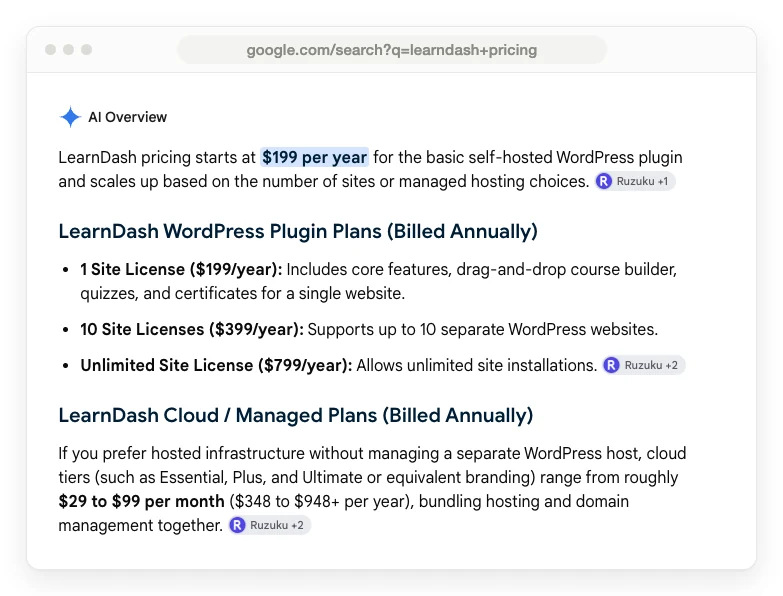
LearnDash pricing changed, and most of the pages telling you about it have not caught up. Type the question into Google and you get $199. Read Google’s own AI summary and you get $199. Open the help documentation LearnDash publishes and you get $199.
Go to the page where you actually hand over a card, and it says $259, not $199.
Chase the $60 and you find something more useful than a price rise. LearnDash was folded into a bigger company. The old buy-the-base-plugin-then-buy-add-ons model was scrapped. The plans were rebuilt from scratch, and the price moved because the product did.
Below is what each plan costs today, what is genuinely inside each one, and what the license price quietly leaves off your real bill.
Key Takeaways
- LearnDash costs $259, $399 or $599 a year for Essentials, Pro or Elite. There is no monthly option and no permanent free version.
- The $199 figure almost everyone quotes is retired. It belonged to the old 1-site license that LearnDash stopped selling.
- The license is not the bill. LearnDash runs on your own WordPress site, so hosting is a separate cost of roughly $108 a year at the cheap end.
- Memberships are now included in every plan. MemberDash used to be a separate purchase and is not sold on its own any more.
- Your renewal price is not locked. LearnDash’s terms say the license renews at the then-current rate and that fees may increase.
Before the numbers, a quick aside. Most of what quietly drains a small course business is not the software price, it is the leaks around it. If that sounds familiar, the free 5-day Online Selling Mistakes Challenge walks through the 5 that cost solo sellers the most.
LearnDash pricing right now: the 3 plans
LearnDash sells 3 plans. All of them are yearly, all of them are for the self-hosted WordPress plugin, and none of them takes a percentage of what you sell.
Essentials at $259 a year covers building and selling courses. Pro at $399 adds the reporting dashboard, and Elite at $599 adds the group and multi-instructor tools for selling seats to a company. All 3 are listed on LearnDash’s current pricing page.
| Plan | Price | Built for | What it adds |
|---|---|---|---|
| Essentials | $259 a year | Solo course creators | Course builder, quiz builder, certificates, memberships and subscriptions, Stripe and PayPal |
| Pro | $399 a year | Growing programs | ProPanel reporting, AI course and quiz builder, enrollment tracking, groups and cohorts, weighted grading |
| Elite | $599 a year | Institutions and training teams | Group course management, multi-instructor courses, instructor role, front-end course creation, ratings and reviews |
2 things on that table are easy to miss.
The first is what a license actually covers. LearnDash’s own licensing documentation defines a license by the number of domains you install on, and it counts subdomains too. So yoursite.com and courses.yoursite.com are 2 installs, not 1. You get 1 bonus install for testing, and it only works at the exact address test.yourdomain.com.
Per-site licensing is normal for paid WordPress plugins, and MemberPress prices the same way at 1 site on all 3 of its tiers. If you run more than one course site, LearnDash’s launch announcement says “volume discounts are available for 3+ sites,” which you arrange with their team rather than buy from the pricing page.
The second is that the pricing page never tells you any of that. It says “one license, unlimited courses, unlimited learners” and stops there.
Why almost every page still says $199
The wrong number survives because LearnDash’s own support documentation still publishes it. Google returns 8 results for this search. LearnDash’s own page is 1 of them, and another refused to load for me. Of the other 6, 5 state a price you cannot buy any more, and Google’s AI summary states it too.
The old structure was priced by how many websites you wanted to install on. 1 site was $199 a year, 10 sites were $399, and unlimited sites were $799. On top of that you bought add-ons separately, so the reporting dashboard and the memberships tool were each their own purchase, with their own renewal date.
That is gone for new buyers. The change was announced by LearnDash’s parent company in a post about the new product line: MemberDash, Restrict Content Pro, SolidWP and Iconic are “no longer being sold as standalone products,” and their features now sit inside either LearnDash or Kadence.
The same post explains the switch in plain terms. Customers used to buy a base plan and then buy the add-ons they actually needed, which meant “multiple license keys, different renewal dates, and extra steps at checkout.” Now each tier includes a set of tools.
So read the rise as a repackage. The entry price went up $60, and the memberships plugin you used to buy separately arrived with it.
A nuance nobody covers: if you already own a LearnDash license, you are not affected. The announcement is explicit that your current plan, pricing and tools stay the same unless you choose to upgrade. The $199 was real. It is simply no longer on sale to anyone buying today.
The licensing pages are still worse than the search results. They name the retired tiers outright: “LearnDash 1 Site License, LearnDash 10 Sites License, LearnDash Unlimited Sites License.” When a vendor’s documentation disagrees with the vendor’s checkout, every guide that reads the documentation inherits the mistake.
Where LearnDash even lives now
LearnDash is now sold by a hosting company, which confuses people before they even reach a price.
LearnDash.com no longer sells LearnDash. Go to the old pricing address and you land on liquidweb.com, because Liquid Web, operating under Nexcess, now owns the product and sells it from its own site. LearnDash’s own FAQ puts it plainly: “As part of Nexcess, LearnDash is backed by decades of experience building tools for serious web professionals.”
Practically, that means 3 things. You buy from software.liquidweb.com, not from LearnDash. Your account lives in a shared portal alongside Liquid Web’s other WordPress products. And LearnDash does not appear anywhere on the first page of Google for its own pricing keyword, which is part of why the stale numbers have had such a long run.
What you get on each plan, and the one thing Essentials leaves out
Essentials is a complete course business in the boring sense. You build courses with lessons and topics, set 8 types of quiz question, issue certificates, drip content, run memberships and subscriptions, and take payment through Stripe or PayPal. Plagiarism detection and automated learner emails are in there too.
What Essentials does not have is reporting. ProPanel, the analytics dashboard that shows enrollment trends, completion rates and quiz-score breakdowns, is on Pro and Elite only. The FAQ states it plainly: “LearnDash Pro and Elite plans include ProPanel.”
That is the upgrade decision most solo sellers will actually face, and it is a $140 a year decision. If you want to know which lesson people quit on, you are on Pro.
Elite is aimed somewhere else entirely. Group course management, an instructor role, multiple instructors on one course and front-end course creation are all aimed at selling training to organizations rather than to individuals. If you are one person selling one course, you will not touch any of it.
Is there a free version of LearnDash?
No. There is no free plan and no free tier of the plugin.
What LearnDash offers instead is a 48-hour demo with no credit card, which is enough to click around a pre-built site and not much more. Once you buy, there is a 7-day money-back guarantee, described at checkout as a full refund, no questions asked.
7 days is worth thinking about. Installing WordPress, picking a theme, importing your content, building a course and running a test purchase is not a 7-day job for most people who have never done it. The refund window closes while you are still setting up.
If free is the requirement, LearnDash is not your answer. The free WordPress LMS plugins people usually land on instead are LearnPress, Tutor LMS and Masteriyo, all of which have paid tiers of their own once you want the parts that sell. Hosted platforms have been trimming their free options too, and Thinkific’s free plan is the clearest example of one removed without an announcement.
The free WordPress alternatives, and what they actually cost
LearnDash is the only popular WordPress LMS you cannot try for free, and that is worth knowing before you commit $259.
Search the official WordPress plugin directory for an LMS and the first results back are Tutor LMS, Masteriyo, LearnPress, LifterLMS and Sensei LMS. Every one of them installs at no cost. LearnDash is not in that directory at all, because it is sold only as a paid license.
So the cheapest WordPress LMS is whichever free plugin does the job, and for a first course that is a sensible place to start. Install one, build the course, find out whether anybody buys it. If you hit a wall you cannot work around, that is the moment a paid license is a decision rather than a guess.
2 things before you treat free as free. Hosting is still a separate bill whichever plugin you pick, so no WordPress LMS runs at zero. And free to install is not free forever, so check what each plugin charges for before you build a business on top of it.
If you would rather not run WordPress at all, hosted course platforms such as Teachable, Thinkific, Podia and LearnWorlds bundle the hosting into the price and take the server work off your hands. What you hand over in exchange is the ownership LearnDash is built around.
What the license price leaves off your bill
LearnDash is self-hosted software. It runs on hosting you buy and manage. That is the whole trade: you own your student data and your revenue history, and in exchange you own the server bill.
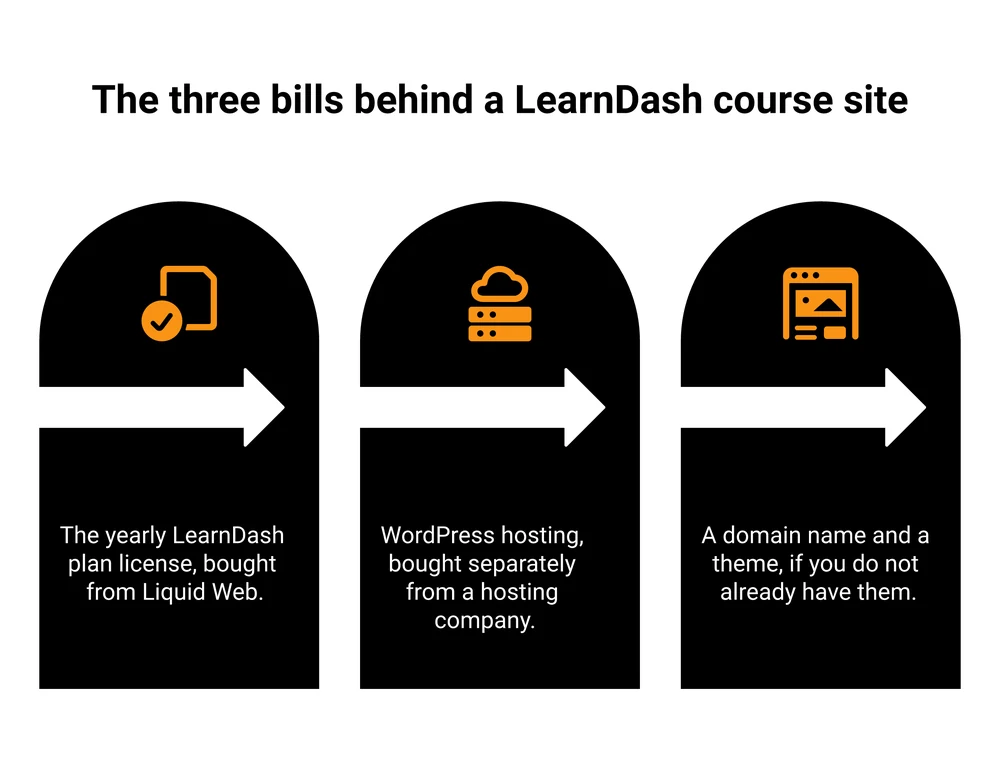
LearnDash’s own blog is refreshingly direct about the number. Writing about hosting for a LearnDash course site, it says “for the best hosting sites, you should typically expect to pay around $30 per month or more.”
You can do it for less. Liquid Web, the company that now owns LearnDash, sells managed WordPress hosting for 1 site at $9, $19 and $29 a month, each rated for 50,000 monthly visitors. Those are the monthly-billing rates. Paying for a year up front takes 10% off.
A solo seller on the cheapest workable setup pays $367 in the first year, which is $168 more than the $199 that most of page 1 quotes for the whole thing.
| Your setup | LearnDash plan | Managed WordPress hosting | Year 1 total |
|---|---|---|---|
| 1 course, 1 site, no reporting | Essentials, $259 | $9 a month, so $108 | $367 |
| You want enrollment reporting | Pro, $399 | $9 a month, so $108 | $507 |
| Selling course seats to companies | Elite, $599 | $29 a month, so $348 | $947 |
Those hosting figures assume a small site. Real load moves them. One LearnDash site owner posting on Reddit describes running 38,920 unique visitors a month on an 8-core, 16 GB virtual server at $24.70 a month, and still hitting processor spikes and a slow WordPress admin. Course sites are heavier than blogs because a logged-in student bypasses the page cache that makes a blog fast.
Add a domain name and a theme if you do not already have them, and the realistic entry cost of a LearnDash course business lands somewhere between $370 and $500 for the first year, against the $199 most of page 1 quotes. That is only the platform side, and the full cost of creating an online course covers what sits on top of it.
Next year’s price is not this year’s price
The renewal terms are the part of LearnDash pricing that is written down and almost never quoted.
Your license renews automatically a year after purchase. What it renews at is set out in the terms and conditions. They say the order renews “on an annual basis at the then-current” rates. Your price is locked while your term runs, and after that the same document reserves the right to “increase Fees for the Services upon renewal.”
In plain English: the price is fixed for the year you paid for, and after that it is whatever they are charging. If you are budgeting 3 years of a course business, budget for the number to move.
That is normal for annually licensed WordPress software and it is not a scandal. It is just worth knowing before you treat $259 as a fixed line in a spreadsheet.
LearnDash Cloud, the product nobody can price
If you would rather not manage hosting at all, LearnDash has a hosted version. Finding out what it costs is another matter.
The support documentation still describes LearnDash Cloud in detail. It is a fully hosted WordPress site with the plugin pre-installed, ProPanel included, daily backups, an SSL certificate and a temporary something.mylearndash.com address until you point your own domain at it.
What no first-party page states is the price. The old LearnDash Cloud pricing address redirects to the plugin page. The current product page does not mention a hosted option at all. The announcement post confirms existing Cloud customers keep using the old portal at account.learndash.com, which reads like a product being wound down for new buyers rather than promoted.
Third-party pages fill the vacuum with 3 different answers. One says $29, $55 and $79 a month under the name StellarSites Learning. Another says $29, $49 and $99 a month under the old Starter, Growth and Pro names. A third says $299 a year.
I could not confirm any of those at a page belonging to LearnDash or Liquid Web, so I am not going to repeat one as fact.
If the hosted route is what you want, ask their sales team for a current number in writing before you plan around it. For a hosted course platform that does publish its numbers, our LearnWorlds pricing breakdown sets out all 4 plans and the per-enrollment fee on the cheapest one.
After the student pays, LearnDash is done
LearnDash is a learning management system, and it is a good one. Selling is the part it hands back to you, and its own feature lists say so by omission.
Read the full feature list on all 3 plans and you will not find an order bump, an upsell, a downsell or a cart-abandonment email. What you get is a checkout that takes the money: built-in Stripe and PayPal, plus a WooCommerce connection that LearnDash describes as “giving you additional flexibility for selling courses, bundles, and memberships through your existing WooCommerce store.”
That matters because the cheapest revenue in a course business is the revenue you get from someone already holding a card. A worksheet pack offered on the checkout page, a coaching call offered after the payment goes through, an email to the person who filled in their address and then closed the tab.
Course sellers tend to solve this in one of 3 ways. They add WooCommerce and shop for extensions. They live without those pieces. Or they run the selling side on a separate checkout and let LearnDash do what it is good at, which is teach.
CartMango, the checkout platform I run, is one of the tools people use for that third route, alongside the bigger cart platforms. To be clear about what it is not: CartMango does not host courses today, and its LMS and community tools are planned for October 2026 on the $30 a year plan rather than the $10 entry tier, so if you need somewhere to actually deliver the lessons, LearnDash is still doing that half of the job.
Who LearnDash is actually worth it for
LearnDash is worth $259 a year when 2 things are true.
You already run WordPress, or you genuinely want to. It is a well-trodden road: W3Techs market-share data puts WordPress on 40.7% of all websites. That is still not a small condition. Every hour you spend on updates, backups, a broken theme or a plugin conflict is an hour you are not teaching or selling, and a hosted course platform hands that work to somebody else.
And ownership matters to you more than convenience. LearnDash’s pitch here is real and it is the strongest thing about it: your student records, your course content and your revenue history live on your site, on any host you choose. Nobody can take a percentage of your sales or move your content behind a plan change. LearnDash can still put its renewal price up, as the terms allow, but a lapsed license costs you support and updates rather than the site itself. Thinkific removing its free plan without an announcement is the version of this risk a hosted platform carries and LearnDash does not.
Where LearnDash loses is the all-in cost at small scale. A seller with 1 course and 40 students is paying $367 in year 1 before they have sold anything, and doing their own server admin, while a hosted course platform bundles the hosting into one bill and does the server work for them. Our breakdown of what a course platform really takes is worth reading against these numbers.
Where it wins is at scale and at ownership. No per-student fee and no cut of sales means a LearnDash site that sells $100,000 of courses costs the same as one that sells $1,000. Every hosted platform that takes a percentage gets more expensive as you succeed.
FAQ
How much does LearnDash cost in total?
The plugin is $259, $399 or $599 a year depending on the plan. Add managed WordPress hosting, which starts around $9 a month from LearnDash’s own parent company, and a realistic first-year total for a solo seller is roughly $370 to $500. LearnDash takes no percentage of your course sales on any plan.
Is there a free version of LearnDash?
No. There is a 48-hour demo with no credit card required, and a 7-day money-back guarantee after purchase, but no free plan. Free WordPress LMS plugins do exist, including LearnPress, Tutor LMS and Masteriyo, and all 3 sit in the official WordPress plugin directory where LearnDash does not.
Does LearnDash charge transaction fees?
No. LearnDash takes 0% of your sales and charges no per-student fee. You connect your own Stripe or PayPal account, or WooCommerce, and pay those processors their standard rates directly.
Why do so many sites say LearnDash is $199?
Because it used to be. The old pricing was $199 for 1 site, $399 for 10 sites and $799 for unlimited sites, with add-ons bought separately. That structure was retired for new buyers when LearnDash moved to feature tiers. LearnDash’s own support documentation still describes the old model, which is how the number keeps getting copied.
Can I use 1 LearnDash license on more than 1 site?
Not by default. A license covers a set number of domains, and subdomains count against the total. You get a single extra install for testing, and it only works at test.yourdomain.com. Volume discounts are available from 3 sites, arranged with their team rather than bought from the pricing page.
Is LearnDash easy to use?
LearnDash says you need no technical experience, and describes the plugin as “designed to be easy to set up and manage with visual tools and sensible defaults.” Building a course really is drag and drop. What people underestimate is everything around the plugin, which is WordPress itself: hosting, a theme, updates, backups and the occasional plugin conflict. That is the real learning curve, and it is why a 7-day refund window is tight.
Which is better, LearnDash or Tutor LMS?
Price usually decides it. Tutor LMS has a free version in the official WordPress plugin directory, so you can install it and run a course without paying anything up front. LearnDash has no free version and starts at $259 a year. Tutor LMS is also the top result in the WordPress plugin directory’s own LMS search, which tells you how many people start there. Try it first, and let the thing it will not do pick your upgrade for you.
Is LearnDash cheaper than a hosted course platform?
Your revenue decides it. LearnDash pricing is flat, so it gets cheaper per sale the more you sell. A hosted platform that takes a percentage gets more expensive as you grow.
Below a few hundred dollars a month in course sales, a hosted platform is usually cheaper all-in once you count hosting. Above that, flat pricing wins.
Your next $140 decision on this page
Most people who buy Essentials at $259 end up looking at Pro at $399 within the year, because $140 for enrollment reporting stops feeling like much once there are students to report on. It is a fair trade, and what you get back is a clear picture of what already happened.
Nothing in that $140 changes what happens next. What does change it is what your buyer is offered while their card is still out, and none of the 3 plans has anything there.
CartMango is the checkout I built for exactly that, and it costs a fraction of the upgrade. Order bumps on every plan, upsells, downsells and cart-abandonment recovery from the $20 a year tier, and every buyer syncing into your email tool so you can sell to them again. CartMango is free until October 2026, then plans start at $10 a year. It sits beside your LMS as the selling layer rather than replacing one.
About the Author

👋 I’m Welly, founder of CartMango (the site you’re on), a checkout platform for digital product sellers. We’ve previously processed $179M+. I also run BirdSend (email marketing tool, 3.1B+ emails sent). On the side I show other non-techie digital sellers how I use AI workflows to automate 50%+ of my operations. Find me on LinkedIn.
Related Reading
- MemberPress Pricing in 2026: a useful check against LearnDash pricing, because MemberPress is priced per site too but takes a transaction fee on its entry plan
- LMS for Online Courses: the hosted course platforms priced side by side, and why every cheap plan has a second price
- LearnWorlds Pricing in 2026: a hosted course platform that does publish its numbers, including a per-enrollment fee
- How to Sell Online Courses: for readers whose next question is demand rather than software