

To sell WordPress themes, build a theme in a clear niche, then pick where to sell it. A marketplace like ThemeForest gives you built-in traffic but takes about half of each sale. Your own site keeps far more, but you have to bring the traffic. Most premium themes sell for $30 to $100.
The advice you will find on how to sell WordPress themes almost always comes from a tool vendor, and it quietly assumes you will succeed. The honest version is different. The free WordPress.org directory alone holds over 14,000 free themes, practitioners in r/WordPress call the market oversaturated, and one developer who wrote up his failure launched the same day as a theme that became a multi-million dollar business while his own made almost nothing.
That is not a reason to skip it. It is a reason to go in with your eyes open. This guide covers what most guides gloss over: who actually buys themes, where to sell and what each route really costs, and how to get your first sales without burning out on support.
Key Takeaways
- The WordPress theme market is crowded, so a real niche and genuine quality matter more than the technical act of listing a theme.
- Your buyer is the non-technical site owner, not another developer, which changes how you build, price, and support.
- Since July 2026, ThemeForest has taken a flat 50% of every author’s sale, making the marketplace-versus-own-site decision more expensive than old guides suggest.
- A marketplace hands you traffic but keeps the customer and half the money. Your own site keeps the margin but you bring the traffic.
- The “someone will steal my code” fear is mostly misplaced. The people who could copy it were never going to buy it.
- Marketing beats the product. The most common failure is building in silence and never telling your audience.
Is Selling WordPress Themes Still Worth It? An Honest Look
Short answer: yes, but only in a narrow lane.
The pitch is familiar. WordPress powers a huge share of the web, so themes are passive income. Build one, upload it, collect money while you sleep. What vendors leave out is survivorship bias. You hear about the shop that hit seven figures, not the thousands that sold a handful and got abandoned.
Alex Denning, who now runs a WordPress marketing agency, documented his own attempt on his blog. He spent 6 months building a theme with a partner during the early “gold rush,” and it flopped. His line stuck with me: he launched the same day as another theme, and one became a multi-million dollar business while the other, his, was “being dragged out from the internet archives” so he had something to write about. Same effort. Wildly different outcome.
So before you build anything, it helps to know the profit leaks that sink most first-time digital sellers. The free 5-day Online Selling Mistakes Challenge walks through the top 5 and how to fix them.
When is selling themes actually worth it? When you have a real niche (restaurants, therapists, photographers, a specific page builder) and your theme is clearly better than the free options for that niche. General “multipurpose” themes compete with 14,000 free ones and dozens of established shops. A sharp niche theme competes with far fewer.
Who actually buys WordPress themes
Here is the reframe most guides skip. Your customer is not a developer. It is a small business owner, a blogger, or a freelancer who wants a good-looking site without hiring anyone.
A commenter in the r/WordPress thread on selling a theme for the first time put it plainly: “the target audience for WP themes is people with no/low technical ability.” That single fact should drive your decisions. Non-technical buyers care about how the theme looks, how fast they can launch, and whether they can get help when they are stuck. They do not care about your code architecture.
“Someone will steal my code” is mostly a myth
Nearly every first-time seller worries that buyers will copy the HTML and CSS and share it for free. It is the wrong thing to fear.
The visible part of a theme, the HTML and CSS, was never the hard part. The value is in the PHP, the setup, the documentation, and the support. Anyone skilled enough to rebuild your theme from view-source was never your customer. They would just build their own.
As one r/WordPress member said, code theft is close to a non-issue. WordPress themes ship under the GPL license anyway, so some sharing is baked into the platform.
If you want to cut casual redistribution, focus on what a copy cannot replicate: updates, support, and trust. I wrote a full breakdown of protecting digital downloads if that fear is holding you back.
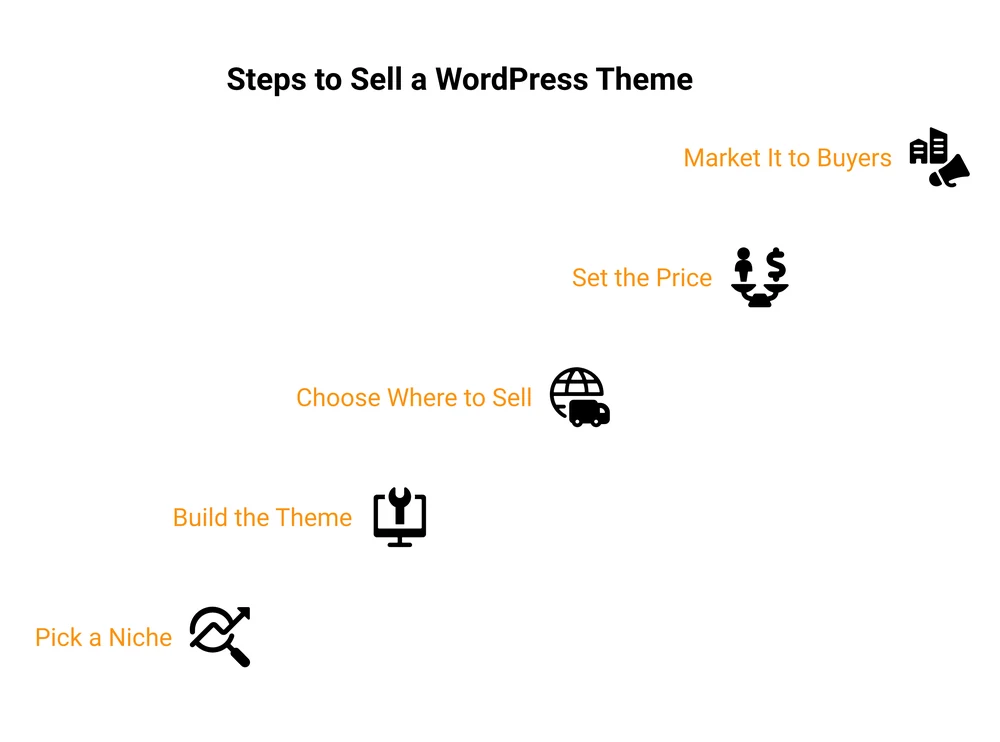
How to Build a WordPress Theme Worth Paying For
You do not need to be a senior engineer. You do need a theme that works cleanly on real sites and does not generate a support ticket every hour.
Pick a narrow niche
A theme that tries to please every site competes with thousands of free ones. A narrow theme competes with far fewer. Niche themes command higher prices and face less competition. Think “booking-ready theme for hair salons” instead of “clean business theme.” The narrower the use case, the easier it is to be the obvious best choice and the easier it is to market.
Code it to real standards, or use a block theme
Classic themes are built with PHP, HTML, and CSS. If that is your background, follow the official WordPress Theme Handbook, use responsive design so it works on phones and tablets, and stick to the coding standards. A theme that breaks on a normal install will get refunded and one-starred fast.
Not a PHP developer? You have two honest options. Build a block theme (also called Full Site Editing) using the Site Editor and a tool like Create Block Theme, which needs little to no PHP. Or, if you are mostly a designer, sell a static HTML template instead of a WordPress theme. That was the actual advice given to the beginner in that Reddit thread, and it is good advice. Do not sell a WordPress theme you cannot support.
Write docs and plan for support
Because your buyers are non-technical, documentation is part of the product. A clear setup guide, a demo import, and a few short videos cut your support load. Plan for support from day one. It is the reason a $59 theme is not really passive income.
Where to Sell WordPress Themes: Marketplace vs Your Own Site
This is the decision that determines how much you actually keep. There are three broad routes: a marketplace, the free WordPress.org directory, or your own website. Most guides pick one and pretend the others do not exist. Here is the honest comparison.
| Where you sell | You keep on a $59 sale | Built-in traffic | You own the buyer | License keys + updates |
|---|---|---|---|---|
| ThemeForest / Envato | ~$30 (50% author fee) | Yes, large | No | Yes |
| Creative Market | ~$30 (about 50%) | Yes | No | No |
| WordPress.org directory | Free themes only, a funnel not a sale | Yes, huge | No | n/a |
| Your own WordPress site (EDD or SureCart) | ~$57 (after Stripe) | No, you bring it | Yes | Yes, with the plugin |
| Gumroad | ~$51 (10% + $0.50 plus processing) | Some | Limited | No |
| CartMango | ~$57 (Stripe only, no per-sale cut) | No, you bring it | Yes | No, checkout + delivery only |
I run CartMango, so treat that last row as me showing my own cards. It is a simple hosted checkout, not a WordPress plugin, so it keeps more of each sale but does not manage license keys or push automatic updates. If you need those, WordPress-native tools like Easy Digital Downloads or SureCart fit better. If you want to weigh them against other checkouts, I compared the best Easy Digital Downloads alternatives and SureCart alternatives.
Marketplaces (ThemeForest, Creative Market, TemplateMonster, Codester) give you the one thing a new seller lacks: traffic. Buyers are already there looking for themes. The trade is steep. In July 2026, Envato moved every author to a flat 50% fee, so ThemeForest keeps half of each sale (the buyer also pays a fixed fee on top). You can read the current terms on Envato’s author help center. Longtime exclusive authors who used to keep most of a sale now keep half. The marketplace also owns the customer, so you cannot easily email them about your next theme.
The WordPress.org directory is not a store. You cannot charge there. What it is good for is a free “lite” version of your theme that reaches a massive audience, then points power users to your paid version. It is a top-of-funnel tool, not a revenue line.
Your own site flips the math. With a checkout on your own website, you keep almost everything after payment processing (Stripe is 2.9% + $0.30 per sale), you own the customer, and you can sell to them again. The catch is real: no built-in traffic, so you have to earn every visitor. Which own-site tool you use, and how it handles license keys and updates, is what the next section covers.
Most successful theme sellers end up using more than one route: a marketplace or free directory for discovery, and their own site for the sales where margin matters.
What to Charge for a WordPress Theme
Pricing depends on your niche, but the market gives you a range. Standard premium themes run $30 to $100, with $50 to $60 a common sweet spot on ThemeForest. Sharper niche themes with strong support can reach $100 to $200 or more.
A few pricing moves worth copying:
- Tiered licenses. Sell a single-site license cheap, then a multi-site or developer license for more. Same file, higher-value buyers pay more.
- Annual renewals. Many shops charge a lower renewal (say 30% off) for continued updates and support after the first year. It turns one-time buyers into recurring revenue.
- Anchor with value, not cost. A $79 theme that saves a business owner a $2,000 designer is cheap. Price against the alternative, not against your time.
If pricing digital products stresses you out, I broke down a full method in how to price digital products. The same logic applies to themes.
Who Handles Licensing, Updates and Support
This is the part beginners skip, then struggle with. Every route answers three questions differently: who delivers license keys, who pushes updates, and who handles support and refunds.
On a marketplace, the platform handles license validation and update delivery for you. That convenience is baked into the 50% cut.
On your own site, you run it. WordPress-native plugins like EDD (with its Software Licensing add-on) or SureCart generate license keys and push automatic updates to your customers’ dashboards. A hosted checkout handles the sale and file delivery but not WordPress license enforcement, so you would layer that separately or keep it simple with a plain download.
Refunds scare people more than they should. Alex Denning, in that same failure write-up, said he never even offered refunds and got only 1 or 2 requests ever. His advice now: offer a 14 to 30 day window and do not count the money as yours until it passes. A clear refund policy builds more trust than it costs you.
How to Actually Get Sales
Building the theme is maybe 30% of the job. Getting it in front of buyers is the other 70%, and it is where most sellers fail.
The single most common mistake is building in silence. Denning had an audience of around 1,000 subscribers and a coming-soon page with 150 emails, and he barely mentioned the product before launch because he was scared someone would copy the idea. Nobody knew it existed, and it flopped. His hard-won lesson: having an audience is not enough, you have to actually sell to it, repeatedly.
What works:
- A live demo. Non-technical buyers need to see and click the theme before they trust it. A polished demo site does more selling than any feature list.
- A free lite version on WordPress.org that links to the paid upgrade. Free distribution, warm leads.
- Content and SEO. Write for the exact person who needs your niche theme. “Best appointment theme for therapists” pulls buyers who are ready.
- An affiliate program done right. Denning’s other regret was going cheap on affiliates. A real program (a 50% commission, personal invites to quality partners, and ready-made assets) gets people actually promoting you.
None of this is quick. But it compounds, and it is the difference between a theme that earns and a theme that gets archived.
The honest bottom line: you can absolutely learn how to sell WordPress themes and build a real income from it. Just go in knowing the market is crowded, your buyer is non-technical, and marketing matters more than code. Pick a niche, keep more of each sale where you can, and treat support as part of the product.
FAQ
Is selling WordPress themes profitable?
It can be, but it is not passive or easy. The market is crowded, so profit comes from a real niche, genuine quality, and consistent marketing. Sellers who upload one theme and move on rarely earn much. Sellers who pick a specific audience and support them well can build a steady income.
How much can you make selling WordPress themes?
It ranges from almost nothing to a full-time living. A single niche theme priced at $59 that sells 10 times a month is around $7,000 a year before fees. Top shops with multiple themes and their own traffic earn far more. Most beginners earn little in year one while they build a catalog and an audience.
Do I need coding skills to sell a WordPress theme?
For a classic theme, yes, you need PHP, HTML, and CSS. But you can now build a block theme with the WordPress Site Editor and little to no code, or sell a static HTML template instead if PHP is not your strength. Do not sell a theme you cannot fix or support.
Can I sell themes in the WordPress.org directory?
No, the WordPress.org directory only hosts free themes. You cannot charge there. What it is good for is distributing a free “lite” version that reaches a large audience and funnels power users to your paid theme on a marketplace or your own site.
What is the difference between selling on a marketplace and your own site?
A marketplace like ThemeForest gives you built-in traffic but takes about half of each sale and owns the customer. Your own site keeps almost all of the money (minus payment processing) and lets you build a direct customer relationship, but you have to drive all the traffic yourself.
Can I offer subscription pricing for a WordPress theme?
Yes. Many sellers charge an annual renewal for continued updates and support after the first year, often at a discount. This turns one-time buyers into recurring revenue and is common on both marketplaces and self-hosted setups with tools like EDD or SureCart. Recurring income like this is one of the most reliable parts of how to sell WordPress themes over the long haul.
If you sell from your own site, that is what I built CartMango for. It is a simple checkout that keeps your margin instead of handing a cut of every sale to a platform. Free during the beta, then it starts at $10 a year.
About the Author

👋 I’m Welly, founder of CartMango (the site you’re on), a checkout platform for digital product sellers. We’ve previously processed $179M+. I also run BirdSend (email marketing tool, 3.1B+ emails sent). On the side I show other non-techie digital sellers how I use AI workflows to automate 50%+ of my operations. Find me on LinkedIn.
Related Reading
- How to sell fonts: the same marketplace vs own-site math for another creative digital asset
- How to create a digital download: package your theme file for clean delivery
- How to price digital products: a full method for landing on the right number
- Best Gumroad alternatives: for readers comparing hosted checkouts